
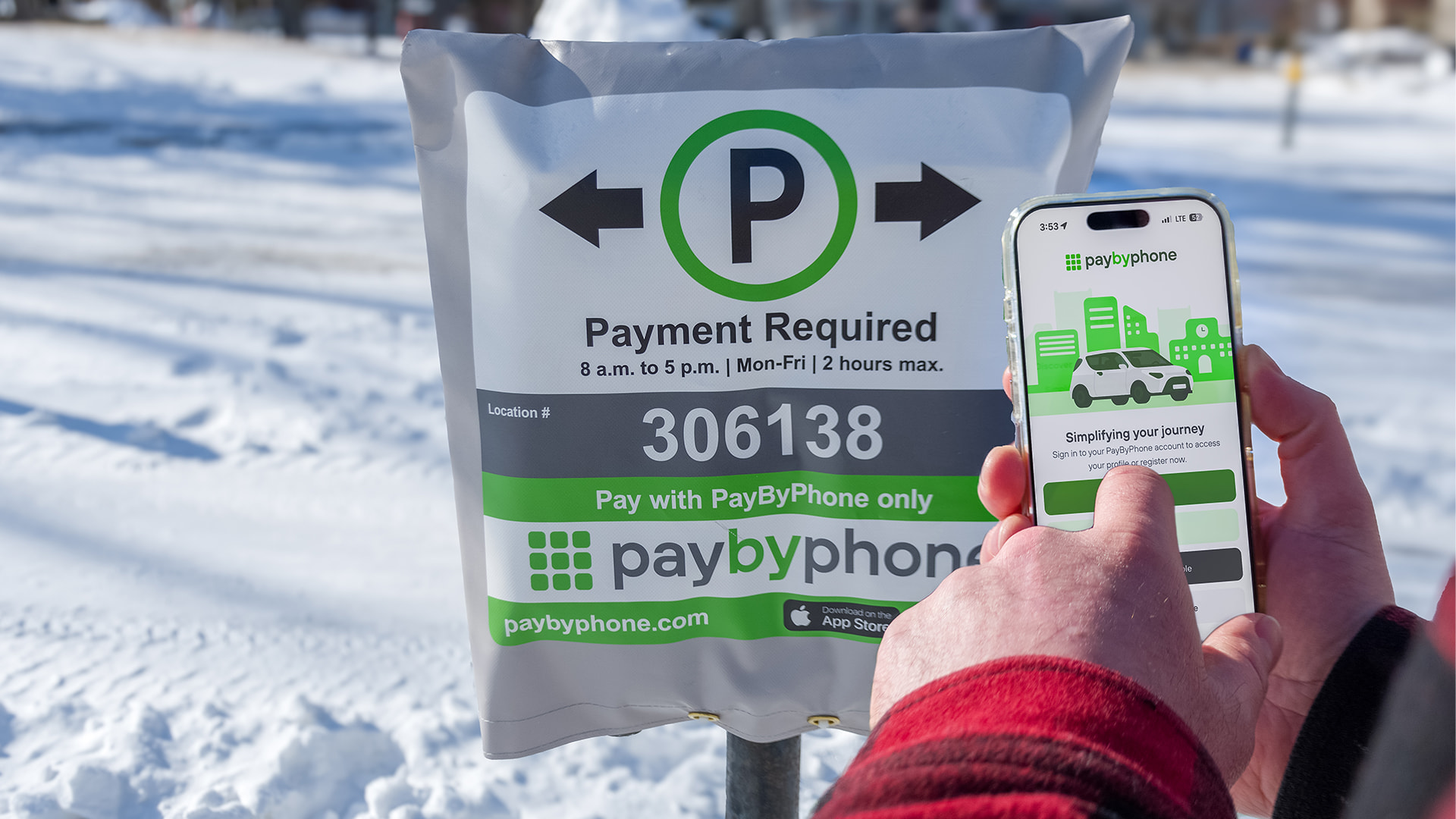
 There is no need for cash or coins; payments can be made using major credit and debit cards, as well as Apple Pay, Google Pay and PayPal.
With PayByPhone, you can:
- Get SMS reminders (if enabled) before your session expires.
- Extend your parking session anytime, up to the posted time limit for that parking space.
- Pay only for the time you need.
PayByPhone is available for iPhone (iOS) and Android phones.
 |
 |
If you prefer not to use the app, you can pay online at PayByPhone.com or by calling 1-888-680-7275.
How to use the PayByPhone App
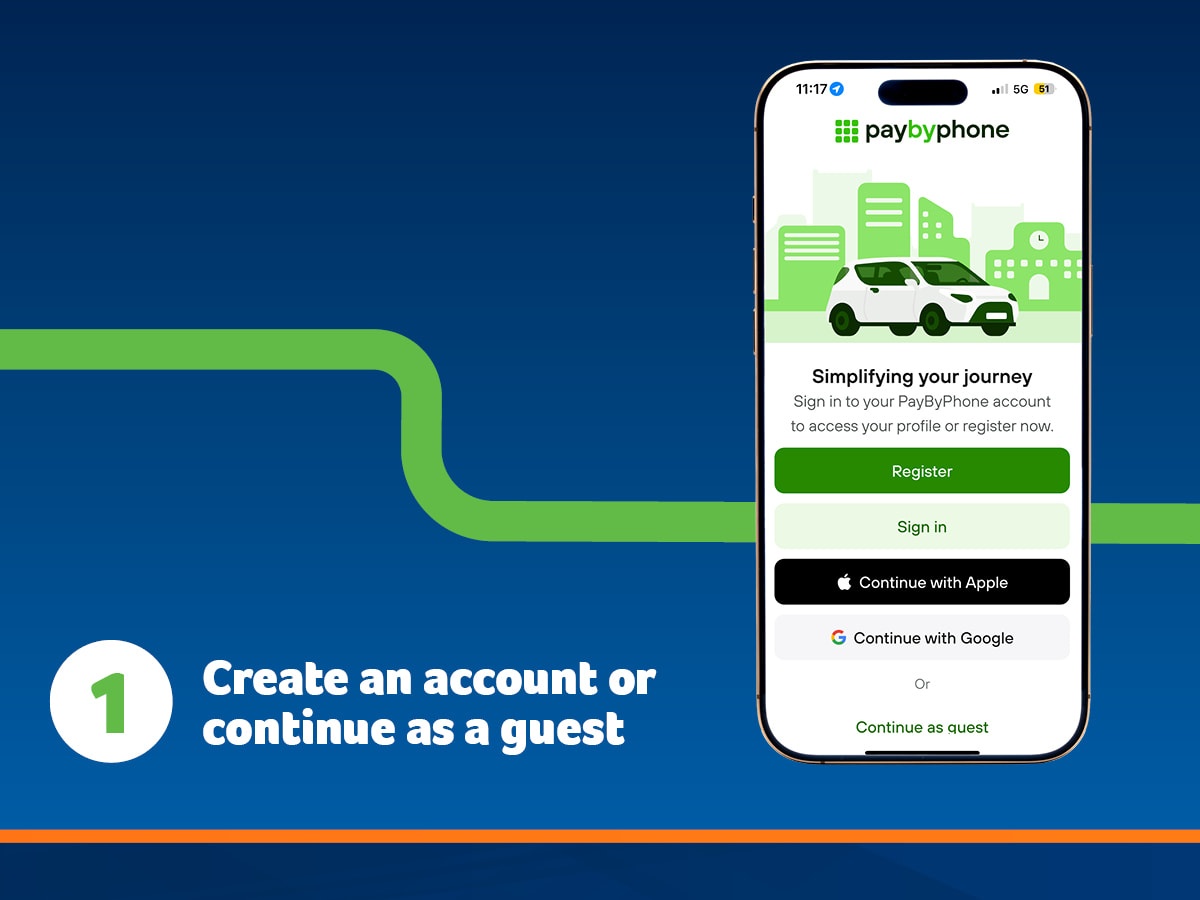
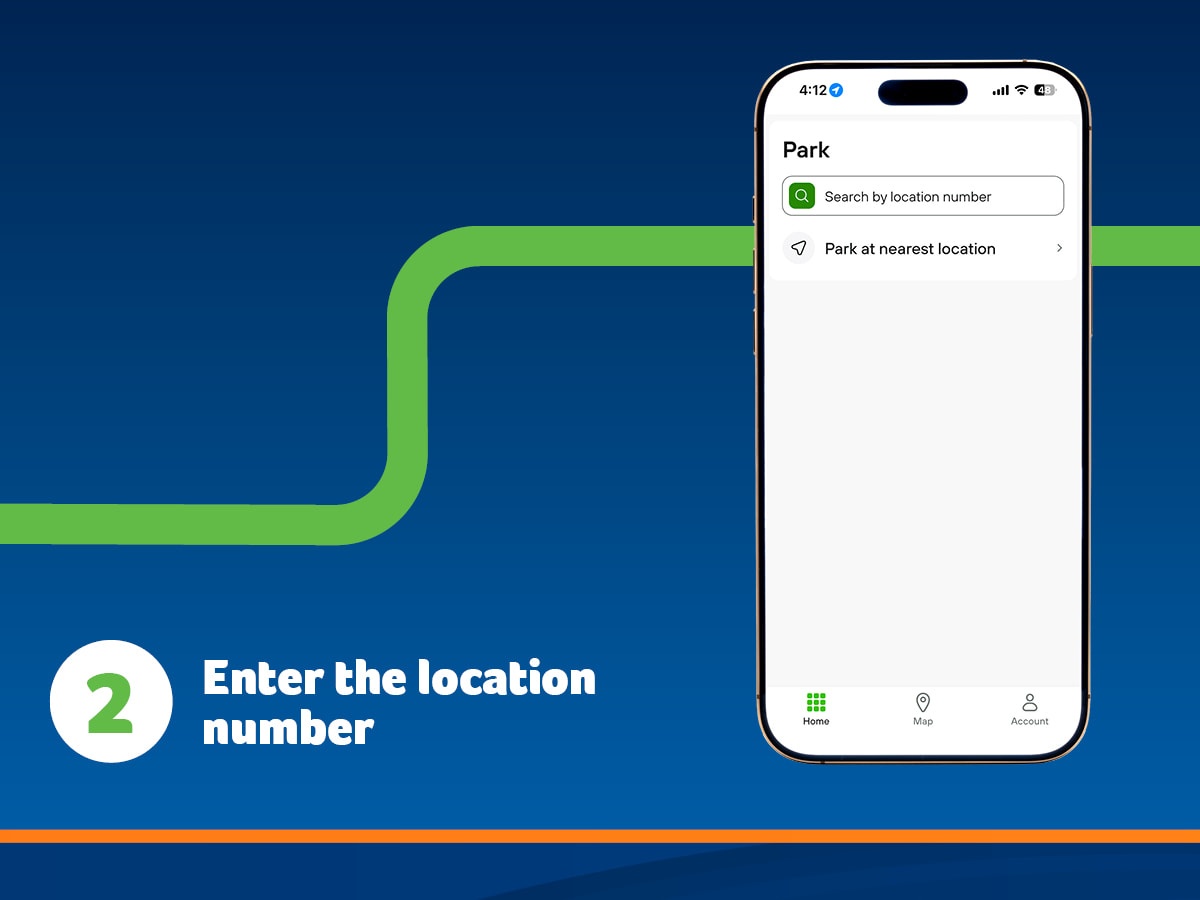
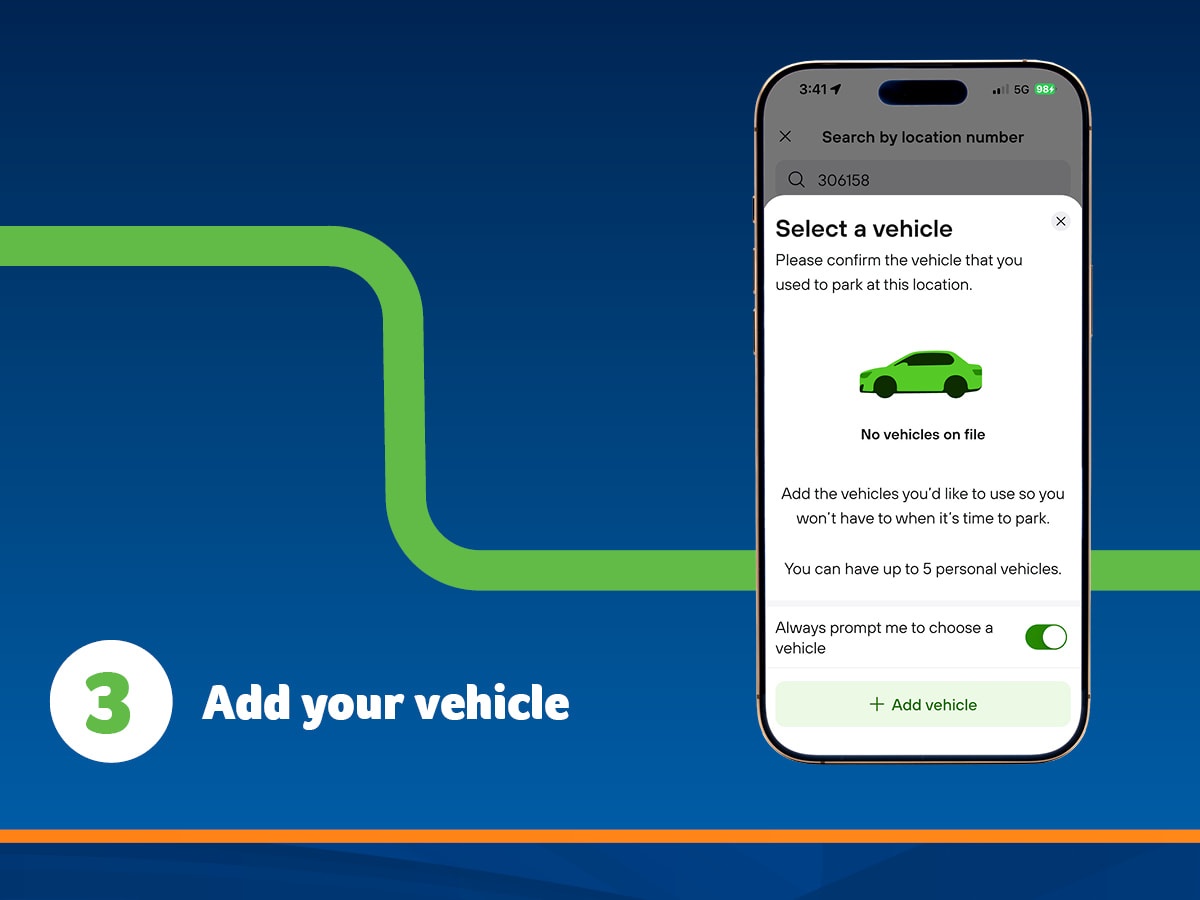
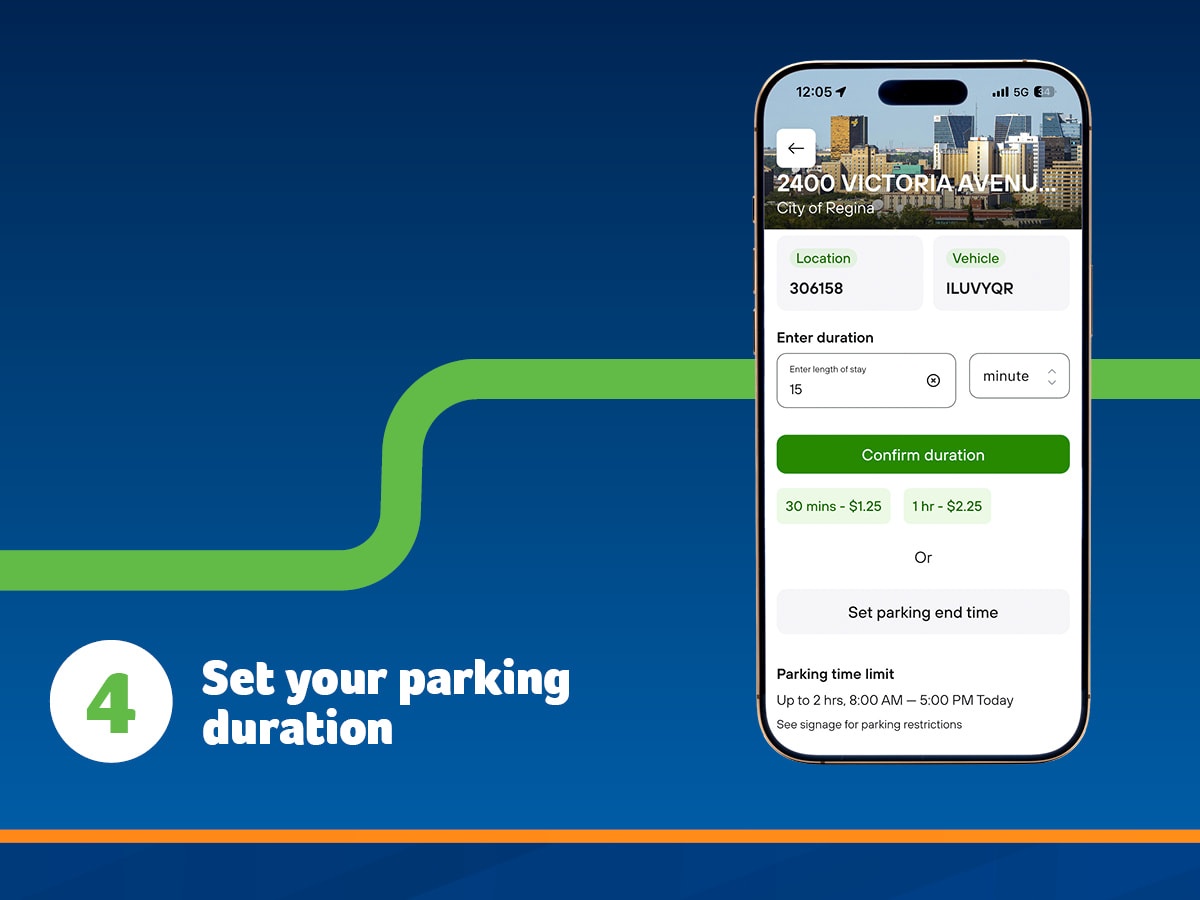
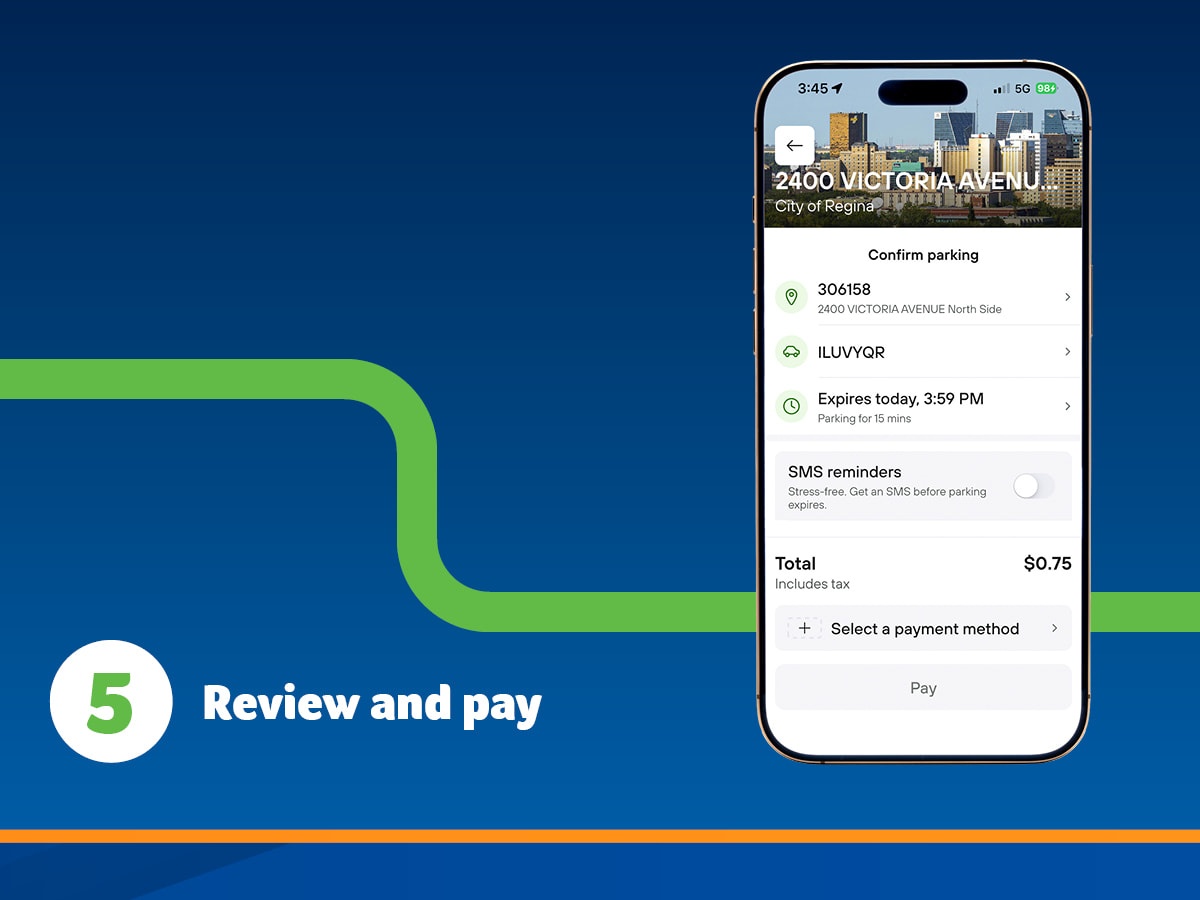
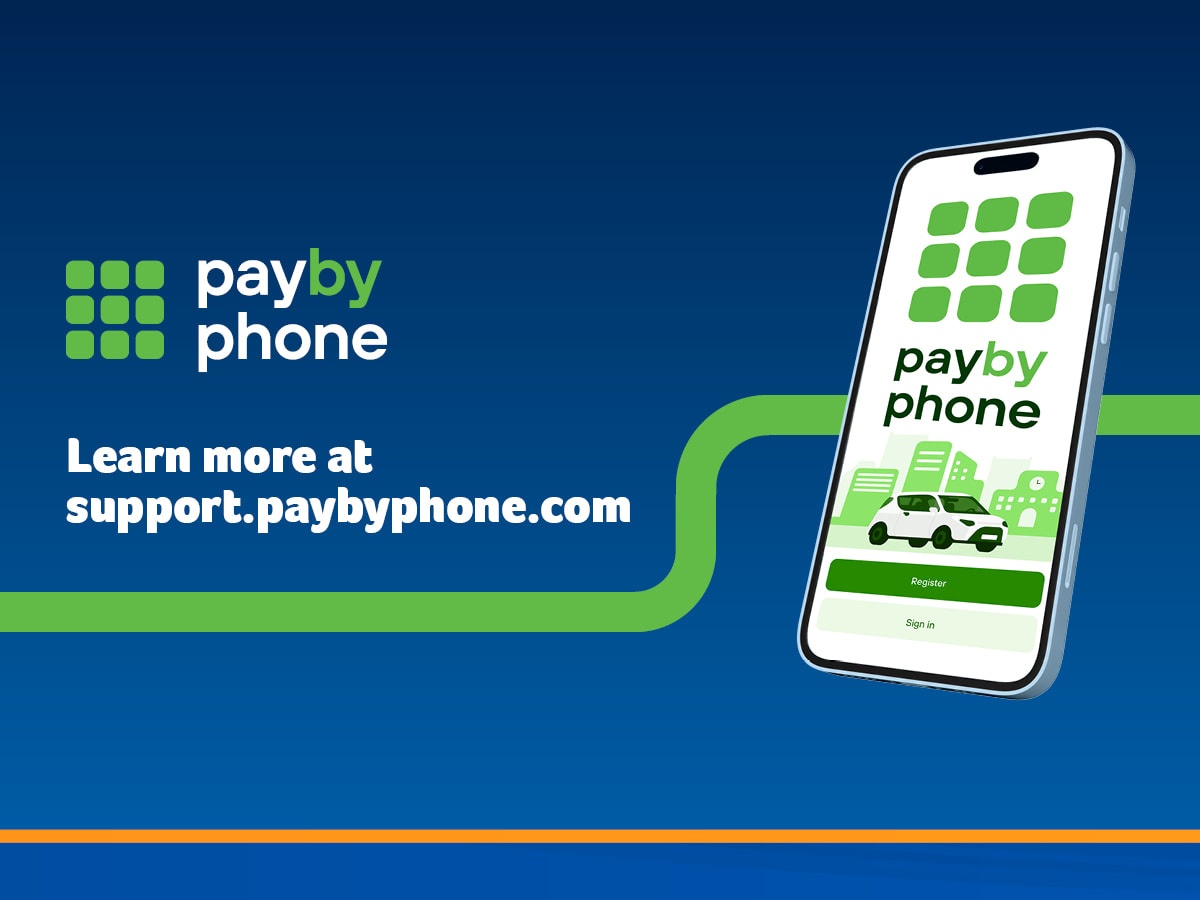
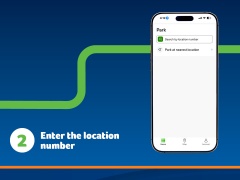
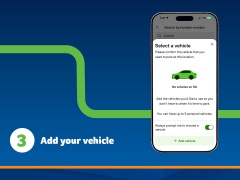
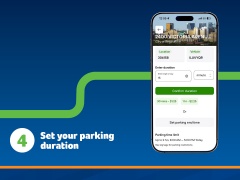
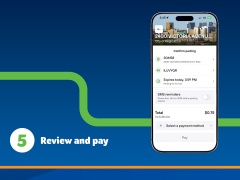
Parking Locations
Paid parking is in effect Monday to Friday from 8 a.m. to 5 p.m. Parking regulations, including posted restrictions and time limits, remain in effect 24 hours a day unless otherwise signed. On-street parking is free weekday evenings after 5 p.m., all day Saturdays, Sundays and statutory holidays, subject to posted time limits.
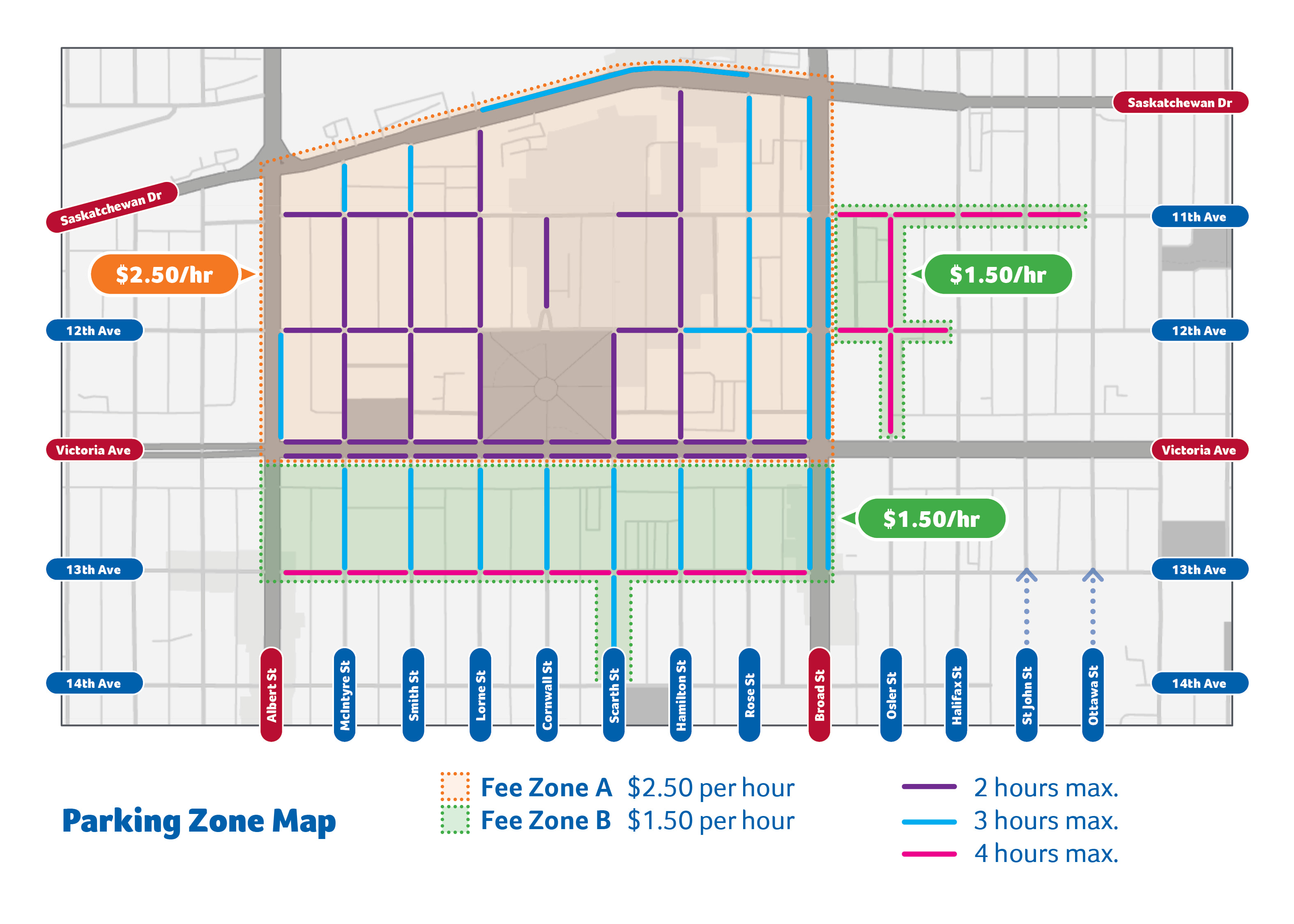
All paid on-street parking spaces are subject to the posted maximum time limit. Time limits may be two hours, three hours or four hours depending on the location. Check posted signage, PayByPhone meter bags or the map below to confirm the time limit for the space where you are parked. Time limits are also shown in the PayByPhone app.
You can add time, but don’t overstay. Time limits are in place to support parking turnover and make spaces available for other visitors. If you need to stay longer than the posted time limit, move your vehicle to another block or the opposite side of the street and start a new parking session. For longer stays, consider using a parkade or parking lot.
Know the rules. Parking regulations are in place to ensure a safe environment for pedestrians and motorists.
Prepaid parking vouchers are available for residents who prefer not to use the PayByPhone system or do not have a smartphone.
Starting April 1, 2026, on-street parking vouchers can be purchased at City Hall in packs of five for $13.75 and used for on-street Payment Required parking areas downtown.
Free short-term parking is available in the laybys on McIntyre Street and Smith Street near City Hall while purchasing parking vouchers. A 15-minute time limit applies. Please complete your purchase promptly.
Frequently Asked Questions
How do I pay for parking?
- There are three options to pay for parking:
- Using the PayByPhone app
- Online at PayByPhone.com
- By calling 1-888-680-7275
- Starting April 1, 2026, you can also pay for parking in on-street Payment Required areas using prepaid parking vouchers purchased at City Hall.
What payment methods are accepted?
- Payments can be made using major credit and debit cards, as well as Apple Pay, Google Pay and PayPal.
What if I don’t have a smartphone?
- You can still pay online (using a web browser) by visiting PayByPhone.com or using a phone by calling 1-888-680-7275. You can also use private off-street parking options that accept other forms of payment.
- Starting April 1, 2026, you can also pay for downtown on-street Payment Required parking using prepaid parking vouchers purchased at City Hall.
What if I don’t have a credit card?
- Some debit cards with a CVV/CV2 code may work in the app, depending on the card provider. You can also use private off-street parking options that accept other forms of payment.
- Starting April 1, 2026, you can also pay for downtown on-street Payment Required parking using prepaid parking vouchers purchased at City Hall.
Why are parking meters covered?
- The City is transitioning from coin-operated parking meters to PayByPhone as the only way to pay for downtown on-street parking. This change supports a shift toward more efficient, digital service options.
Do I still need to pay if the meter is covered?
- Yes. Payment is still required when a meter is covered, and all current parking rules remain in effect, including posted time limits.
- Payment can be made using PayByPhone or, starting April 1, 2026, by using prepaid parking vouchers.
Can I still use coins?
- No. Coin payment has been discontinued as part of the transition to PayByPhone.
Are parking rules still enforced?
- Yes. All current parking regulations remain in effect, including posted time limits and other parking rules.
Why can't I extend my parking session?
- You have stayed at the current location longer than allowed for that specific parking space. Time limits may be two hours, three hours or four hours depending on the location. To begin another parking session, move your vehicle to another block or across the street and enter the new location number to begin a new parking session.
If I need to stay longer than the posted time limit, where can I park?
- You can move your vehicle to another block or the opposite side of the street and start a new parking session. Some on-street parking spaces now allow two-hour, three-hour or four-hour parking depending on the location. If you are planning a stay longer than the posted time limit, consider parking in a parkade or parking lot.
Can I transfer unused time to another parking spot?
- No, unused time is not transferable.
Why is there a transaction fee?
- The transaction fee is a user fee collected by the service provider for using the app.
How does parking enforcement know I’ve paid using PayByPhone?
- When you pay for parking by phone, your license plate and parking time are automatically displayed on the device used by the parking enforcement officer. Users do not need to display a receipt.
What if I get a parking ticket?
- If you believe you have received a ticket in error, either request a parking review online or contact Parking Services at 306-777-6374.
What are prepaid parking vouchers?
- Prepaid parking vouchers are an alternative payment option for downtown on-street Payment Required parking areas. They are available for residents who prefer not to use the PayByPhone system. Vouchers can be purchased at City Hall starting April 1, 2026, and are sold in packs of five for $13.75.
How do prepaid parking vouchers work?
- Each voucher includes scratch-off sections for the year, month, day and start time. Drivers must scratch the correct information and place the voucher clearly on the vehicle dashboard so it can be verified by parking enforcement. Each voucher is valid for one hour of parking starting from the time indicated on the voucher.
Where can prepaid parking vouchers be used?
- Prepaid vouchers can be used in downtown, on-street Payment Required parking areas. They are not valid in areas such as Wascana Centre, the University of Regina, Regina Airport Authority, hospitals, No Parking areas, No Stopping areas, alleys or private property.
How long is a prepaid parking voucher valid?
- Each prepaid parking voucher is valid for one hour of on-street parking starting from the time scratched on the voucher. If you want to park for more than one hour, you must display one voucher for each hour you are parking on the vehicle dashboard.
What are Pay Zones, and what are parking time limits?
- Paid on-street parking is organized into two pay zones, which determine the hourly parking rate.
Zone A, most of downtown, is $2.50/hour.
Zone B, downtown periphery, is $1.50/hour.
Loading zones have a 15-minute limit and are $1.25 in Zone A and $0.75 in Zone B.
Pay zones determine the hourly rate only. Time limits determine how long a vehicle can stay parked in a specific space. The City has recently extended time limits in certain downtown paid parking areas. Some spaces may have two-hour, three-hour or four-hour time limits depending on the location.
See the map at Regina.ca/Parking to check pay zones and time limits.
Which areas are changing from two hours to three hours, and which areas are changing from two hours to four hours?
- The parking map identifies the specific streets where time limits are changing. Areas with moderate to high parking utilization will retain their existing two-hour limits. Areas with moderately low utilization will move to a three-hour limit. Areas with the lowest utilization will move to a four-hour limit. Please refer to the map above on this page for details.
How do vouchers work with zones?
- Vouchers can be used in both Zone A and Zone B. Each voucher is valid for one hour of on-street parking. Drivers must display one voucher for each hour they are parked.
Will the updated time limits affect nearby residential two-hour parking areas?
- No, residential two-hour parking areas are not affected by the updated time limits.
Why are the downtown parking time limits being extended?
- Some downtown areas currently have lower on-street parking utilization, meaning parking spaces are regularly available throughout the day. Extending the time limits helps make the parking system more practical and convenient while still maintaining turnover where needed.