
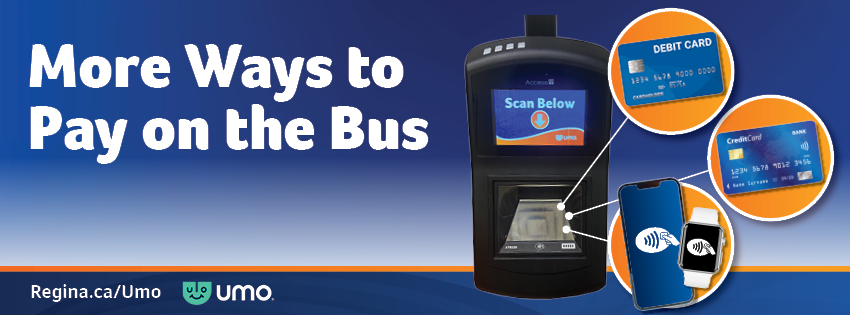
Starting March 2, 2026, you can pay your bus fare with your Interac® Debit card, Visa, Mastercard or American Express credit cards or with Apple Pay or Google Pay on the bus.
What’s Umo?
Regina Transit implemented a new fare system on August 13, 2024.
The new fare system is called Umo. With Umo, you can pay bus fare using the Umo mobile app, a Umo reloadable card or by tapping your debit/credit card or using Apple Pay or Google Pay. It’s a more user-friendly, convenient and accessible system.
If the app or reloadable card is not your preferred way to pay for bus fare, cash is accepted on all buses.
How to Pay
There are four ways to pay for your fare:
- Downloading the Umo Mobility app from the Apple App Store or Google Play Store
- Picking up a reloadable Umo card at any Transit Agent
- Tapping your Interac® Debit card, Visa, Mastercard or American Express credit cards or Apple Pay or Google Pay on the validator inside the bus
- Paying with cash
Umo App
- Search for the Umo Mobility app in your app store and download.
- Once downloaded, open the app and agree to the Terms of Use, then click Get Started.
- The app will request permission to access your location. Select one of the three options:
- Select Allow Once – to allow the Umo App to determine your location initially.
- Select Allow While Using App – to allow the Umo App to always recognize your location while you’re using it.
- Select Don’t Allow – to block the Umo App from determining your location.
- Select Allow – if you would like to get live updates and allow notifications. This does not need to be enabled as the Trip Planning functions are not enabled in Regina.
- Tap the country flag in the upper right-hand corner and switch to Canada. Then select Regina.
- Tap Sign In to set up your account to buy your fares.
To buy a Pass, Rides or Stored Value:
- From the main screen of the Umo app, tap Wallet.
- Select Buy and then Add Money or Pass.
- Select the pass or stored value you would like to purchase.
- On the Review Purchase screen, select Add Payment Method.
- On the Add Card screen, enter your payment method information and press Save Card.
- On the Review Purchase screen, tap Purchase.
Pay and Travel with the Umo App:
- Before boarding the bus, open your app. From the home screen, select Code to display your dynamic QR code.
- Present your QR code to the Umo digital validator.
- Look and listen for the validator’s confirmation signals. A checkmark and single beep means your fare has been accepted.
Reloadable Umo Card
Visit a Transit agent to pick up a reloadable Umo card. All new Umo cards are $5. Agents are listed under Transit Agents.
To buy a Pass, Rides, or Stored Value:
In person:
- Visit any transit agent.
- Tell the agent you would like to buy a pass, or stored value.
- Pay with cash, debit or credit.
Online through the Umo Passenger Portal:
- From My Wallet, click Buy, select your desired fare product, and proceed to Checkout.
- On the Order Details screen, under Payment Method, enter your payment method and click Purchase.
- You can save your payment details to speed up future purchases.
Pay and Travel with your Umo Card:
- Get your Umo card ready before stepping on the bus.
- Once aboard the bus, hold your card up to the Umo digital validator.
- Look and listen for the validator’s confirmation signals. A checkmark and single beep means your fare has been accepted.
Open Payment
Simply tap your contactless bank card or mobile wallet on the Umo validator located inside the bus to pay your fare. Your Umo account status is checked in real time, and your bank card is authorized and charged. Unlike using the Umo app or Umo reloadable card, where riders must add stored value or passes to their account ahead of time, open payments allow riders to "pay as they go" in real-time with their bank card.
Riders can simply tap their bank cards on the Umo validator inside the bus without the hassle of creating an account, downloading an app, loading a Umo card or looking for coins.
Cash
Coins and bills are accepted in the farebox, but operators cannot provide change. Transfers are no longer available for cash payments. Customers paying with cash who need to transfer will be required to pay a cash fare again when they board their second bus.
View our FAQ for answers to our frequently asked questions.
Q: Can I use credit and debit cards to pay on the bus?
A: Yes, transit riders can pay their fares by tapping a contactless bank card (Interac Debit, Visa, Mastercard, American Express) or mobile wallet (like Apple Pay and Google Pay) on the validator inside the bus.
Q: How much will I be charged when I tap a credit, debit or mobile wallet to pay transit fare?
A: Paying for transit fare by tapping a debit card, credit card of mobile wallet will charge the single ride electronic fare, which is $3.20.
Q: Will transit riders still be able to pay with cash?
A: Yes, transit riders can continue to pay with cash. Coins and bills are accepted in the farebox. Transit operators are unable to provide change.
Q: Will the same fare be applicable to Paratransit service?
A: Yes, the same fare system and fares are used on Paratransit.
Q: Where do I go if I have questions?
A: Transit riders with questions can call 306-777-RIDE to talk to a customer service agent or visit the Transit Information Centre at 2124 11th Avenue, open Monday to Friday from 9 a.m. to 4:30 p.m.
Q: What are open payments?
A: Open payments, are payments made by tapping a contactless bank card (Interac Debit, Visa, Mastercard, American Express) or mobile device with a mobile wallet (like Apple Pay and Google Pay) on the validator inside the bus.
Q: How do open payments work?
A: Riders simply tap their contactless bank card or mobile wallet on the Umo validator located inside the bus. Their Umo account status is checked in real time, and their bank card is authorized and charged. Unlike using the Umo app or Umo reloadable card where riders must add stored value or passes to their account ahead of time, open payments allow riders to "pay as they go" in real-time with their bank card.
Riders can simply tap their bank cards on the Umo validator inside the bus without creating an account, downloading an app, loading an Umo card or looking for coins.
Q: Can I pay for another person using open payments?
A: If you are travelling in a group, each person will need to use a separate credit card, debit card or mobile wallet to tap and pay for their trip.
Q: How do I know if my bank card will be accepted at the Umo Validator?
A: If you see your payment card icon on the Umo Validator screen when you board, it should be accepted. All cards must be contactless cards as a pin number cannot be entered on the validators.
Q: The validator lit up (white light) when I tapped my bank card on the validator, but it didn’t accept or decline my payment. Was my fare paid?
A: No. It may be that tap is not enabled on your bank card. Open payments only work with contactless bank cards (tap enabled). Please contact your bank card provider and ensure tap payments are enabled with your bank card.
Q: What does it mean when the validator screen displays this message: “We are attempting to collect fare payment owed for a previous transaction. Please try again in one minute.”?
A: If a transit rider paid fare using open payments but didn't have any money in their bank account, they will receive this message the next time they tap that same card on the validator. When the card is tapped, the system identifies and processes unpaid fares from previous trips. After one minute the rider will need to tap their card again to pay for their current trip. If the previous unpaid fares were successfully processed as well as the current fare, a green fare paid screen will be displayed indicating all fares have been paid. If the customer does not have sufficient funds in their bank account to pay for the previous unpaid fares and their current fare a red declined screen will be displayed indicating fare was not paid.
Q: Why was my bank card not accepted?
A: If you tap your bank card or mobile wallet and are declined at the validator, you may have been rejected for several possible reasons:
• Your payment method has been blocked by your bank. Try using a different method of payment.
• Your card requires a pin number. Please contact your bank card provider and ensure tap payments are enabled with your bank card.
• Your card brand is not accepted.
• You tapped your physical wallet and your payment card cannot be read. You must remove your card from your wallet before tapping.
• There is existing debt on your account from a previous ride. Try tapping your card again to reconcile your account.
Q: I don’t have tap payments enabled on my bank card. Can I enter my PIN on the validator to utilize open payments?
A: No, open payments only work with contactless bank cards. Please contact your bank card provider to get more information on contactless bank cards.
Q: If I already have a Umo account but decide to pay via open payments, will the two be linked?
A: No, if the transit rider already has a Umo mobile app account or reloadable Umo card account and they decide to tap their debit or credit card instead of their Umo Card or Umo App, a new account is created, and the transactions will not be linked to their existing Umo account.
Q: How do transfers work if I pay by open payment?
A: Transfers will be applied automatically if the same contactless bank card or mobile wallet is used.
Q: How do I get a receipt for my open payment purchase?
A: If you tapped your bank card on a Umo validator to pay your fare and want a receipt, you will have to visit the Transit Information Centre at 2124 11th Avenue to get a receipt for your purchase. In order to locate your open payment account, you will need to provide the last four digits and expiration date of your bank card. If you paid using a mobile wallet, you will need to provide the last four digits of your mobile card. Please note that your mobile wallet number is often different than the number on your plastic card. In addition, you may also need to provide transaction information such as date/time of your purchase.
Q: Is fare capping applied when using open payments?
A: Yes, fare capping is automatically applied as long as riders use the same bank card each time they pay a fare. Fare capping and transfers only apply to a single payment method. If you are working towards a fare cap, please use the same payment method with each tap. Digital and plastic cards (despite being linked to the same bank account) are recognized as separate accounts by Umo, with each accumulating their own caps/transfers.
Q: If a rider is fare capped with their Umo card or Umo app and they tap their bank card, will they also be capped?
A: There is no linking between Umo app accounts, Umo reloadable card accounts or open loop accounts. A rider must continue to use the same payment method in order to work towards their fare cap. Mobile wallets and plastic credit cards (despite being linked to the same bank account) are recognized as separate accounts by Umo, with each accumulating their own caps/transfers.
Q: How does fare capping work if I have a joint bank account with another rider?
A: Even though the bank account is the same for both riders, a separate Umo account will be created for each rider. Fare capping will be applied to each rider separately. This also applies to transfers.
Q: If a rider has more than one contactless card in their physical wallet, how will the Umo validator know which card to charge?
A: The rider must remove the chosen payment card from their physical wallet when tapping at a Umo validator. If they attempt to tap their physical wallet, it will be declined and the message “Too many cards, only one card please” will show up on the validator.
Q: I tapped my payment card on a Umo validator and when I checked my bank statement, the charge appeared two weeks later. Why was there a delay in payment authorization?
A: It is possible that your bank account had insufficient funds when you tapped to pay your fare and the payment did not go through. The payment authorization will be delayed if you do not have sufficient funds in your bank account. It is likely that two weeks later the system attempted to recover the unpaid payment, and it was approved and posted to your bank card statement at that time.
Q: Will I be charged an additional fee to use my credit card or debit card on the bus?
A: No, you will not be charged any additional processing fees when paying a fare using your credit or debit card on the bus.
Q: I paid fare on the bus using open payments, but my bank account is showing a charge of $1.00 instead of the single ride electronic fare amount ($3.20).
A: The $1.00 change on your bank account is a temporary pre-authorization hold, not the final payment. This is a standard procedure in many transit systems to ensure the card works. The $1.00 hold will be removed (usually within a few days), and the actual fare of $3.20 will be processed later, typically overnight or the next day, but it will depend on your banking institution.
Q: Can a transit rider have and use both a Umo card and a Umo app?
A: Yes, while a transit rider can have both a Umo card and a Umo app, they would function like two different accounts. This means they would not work interchangeably and do not share information or fares.
Q: I have a Umo card and want to switch to the Umo app. How do I switch?
A: To transfer your card’s balance to the app, download the Umo Mobility app. On the app, click sign in, then click create an account with my card. Follow the prompts and instructions. Once the transfer has been completed, the card will be void and unable to be used again.
Q: I have the Umo app and want to switch to the Umo card. How do I switch?
A: To swap from the Umo app to the Umo card you can visit the Transit Information Centre at 2124 11th Avenue, open Monday to Friday from 9 a.m. to 4:30 p.m. Staff there will help you make the switch.
Q: Can I pay fares for myself and another rider using my Umo account?
A: All riders are required to carry their own payment method. This includes individuals riding as a group.
Q: Why can’t I find the Umo app in the app store?
A: The app can be found in both Canadian Apple App Store and Google Play Store by searching “Umo Mobility”. Please note that you must be connected to a Canadian app store to download the Umo Mobility app.
Q: Do I have to create a Umo account to use the app?
A: Yes, you need to create an account with a unique username like an email address or phone number to use the app.
Q: Do I need to use cellular data to use the Umo app?
A: No, as long as you are logged into the app and have a fare loaded to your Umo account, your app will make the connection and validate your fare product if you have cellular data turned off or in an area outside of cellular service. The mobile app does not need to use data to validate your fare.
Q: How much does a Umo card cost?
A: New and replacement Umo cards cost $5. Card replacement can only be done at the Transit Information Centre located at 2124 11th Avenue on Monday to Friday from 9 a.m. to 4:30 p.m.
Q: What should I do if I lose my Umo card?
A: If your Umo card was registered, visit the Transit Information Centre at 2124 11th Avenue Monday to Friday from 9 a.m. to 4:30 p.m. to have your fare products transferred to a new Umo card. Once your products have been loaded to the new Umo card, your original card will be deactivated.
If your Umo card was not registered, your card balance cannot be transferred to your new card. Your replacement card will cost $5.
Q: If I replace a lost card and then find the missing card afterwards, can I use the previously lost card again?
A: No, once a lost or missing Umo card is deactivated, that card becomes permanently void and will no longer work.
Q: How do I validate my Umo Card on the bus?
A: When you are ready to travel, please have your card ready prior to stepping on the bus. Upon boarding the bus, tap your card within two inches of the validator, under the “Scan Below” screen. The display on the validator will confirm your successful fare payment with a checkmark and an audible single beep notification.
Q: I’m having trouble validating my Umo app on the bus. What should I do?
A: Here are three suggestions to speed up your app validation:
- Have your app open to the QR code prior to getting on the bus.
- Turn up your phone’s screen brightness or turn off power save mode when you click on the QR code.
- Hold your phone back from the onboard validator to display the entire QR code.
Q: How do I know if my fare was accepted?
A: The Umo validator will display a checkmark on the response screen and produce a single audible beep informing you that your fare has been accepted. It will also display your balance on the screen.
Q: Why did the Umo validator display a yellow checkmark instead of the green checkmark I’m used to seeing?
A: A yellow checkmark signals that your fare was accepted but either your balance for rides is at two or fewer, your stored value has dipped below $3.20 or your pass is set to expire within two days. This is just a visual notification to let you know your account is low.
Q: What is stored value? How does it work?
A: Stored value is a fare product Regina Transit offers through the Umo app or reloadable card. Stored value is a sum of money loaded to a rider’s Umo account that gets deducted as trips are taken.
Transit riders who use stored value can take advantage of fare capping rules. Each time you use your stored value, $3.20 will be deducted from your balance. Once you have done three trips in one day, each additional tap will be free, so you will be charged a maximum of $9.60 each day.
If you use stored value over the course of the month, you will not be charged more than $97 a month (capped at 31 rides a month).
Depending on how much you ride, using stored value may be an economical way to use Regina Transit! Transfers will work as normal (90-minute window) if you are using stored value at no additional charge.
Q: How are transfers handled?
A: If you pay a fare using any electronic method (rides, stored value or open payments) transfers will be applied automatically and an extra trip will not be charged. Transfers are not available for cash-paying customers. Customers paying cash who need to transfer will be required to pay a cash fare again when they board their second bus.
Q: How will Umo know the difference between a pass and stored value fare products?
A: Both a pass and stored value fare products can be added to your Umo account at the same time. If you have both added, Umo will apply your fare to the pass first, saving your stored value funds for future use.
Q: How do I set my fare product to reload automatically?
A: There are two ways to set your stored value or pass to reload automatically.
Umo Card – Umo Passenger Portal:
- Log into Umo Passenger Portal with your Umo account credentials.
- Visit My Wallet, click Buy, select your desired fare product and select Autoload.
Umo App:
- Log into your Umo App with your Umo account credentials.
- Visit My Wallet, click View Details, slide the Autoload option on to have an account balance or pass added to your Umo Wallet whenever your balance gets below a pre-set amount.
Q: When will autoload be triggered?
A: If you have autoload enabled on your account, the system will automatically purchase additional stored value once your stored value balance dips below $3.20, when you have less than five rides left in your account or when you have less than three days left on your monthly pass.
Q: How does my U-Pass work with Umo?
A: U-Pass riders, just like standard riders, must choose between the Umo app or Umo reloadable card and set up a Umo account.
Prior to the start of your school term, your school will provide you with information about your school’s unique process that involves redeeming a Umo benefit code on your Umo account. Once redeemed, you will be able to ride Regina Transit by scanning your QR code or your reloadable Umo card on the bus.
Q: How do I plan my trip?
A: Transit riders can use TransitLive.com or Google trip planner to plan trips.
Q: Can I use Umo if I am on a discount program like the discount pass, affordable pass or senior pass?
A: Yes, customers who are eligible for these programs will have to first visit the Transit Information Centre to have their account set up to purchase those passes. Once set up, you will be able to buy these passes through the app, website or at a Transit agent.
Q: Can I use Umo if I buy post-secondary passes?
A: Post-secondary passes are available for purchase at the Transit Information Centre (2124 11th Ave), University of Regina Parking Services, Sask Polytech or Saskatchewan Indian Institute of Technologies. You will have to bring confirmation of enrollment in post-secondary studies.
Unfortunately, this pass is not available for purchase through the Umo app or web portal.
Q. Can I purchase passes and fares on behalf of another rider, like a family member or other dependents?
A. Yes, account linking allows you to link your Umo account with other Umo riders' accounts. Learn more about Account Linking.
Q: How do I redeem a benefit code?
A: Customers participating in a special fare program such as the U-Pass program can redeem a benefit code provided to them to access special fares. Learn how to redeem an app benefit code.
A benefit code can also be redeemed online through the Umo Passenger Portal. Learn how to redeem a card benefit code.
Q: Can I share transit fares with another person?
A: No, all riders are required to carry their own payment method. As per the Transit Fare Bylaw, transit fares are nontransferable and cannot be shared between riders.
Q: I tried logging into my Umo app and received the error message "Error signing in: The account is frozen. Please contact your transit agency for assistance." What do I do?
A: Umo has a new “account sharing limits” feature. This feature helps prevent fraudulent use of bus passes. A customer’s Umo account will be frozen when the account has been detected on too many mobile app devices in a given time period. Freezing the account guards against fraudulent use. You will receive a warning message before the account is frozen. If, after receiving the warning, a rider continues to switch devices, the account will be frozen. As outlined in the Transit Fare Bylaw, all passes are non-transferable and cannot be shared between customers. Please contact the Transit Information Centre for assistance. If you continue to share fares, and your account is frozen again, your account will remain frozen, and any purchased fares associated with that account will be lost.